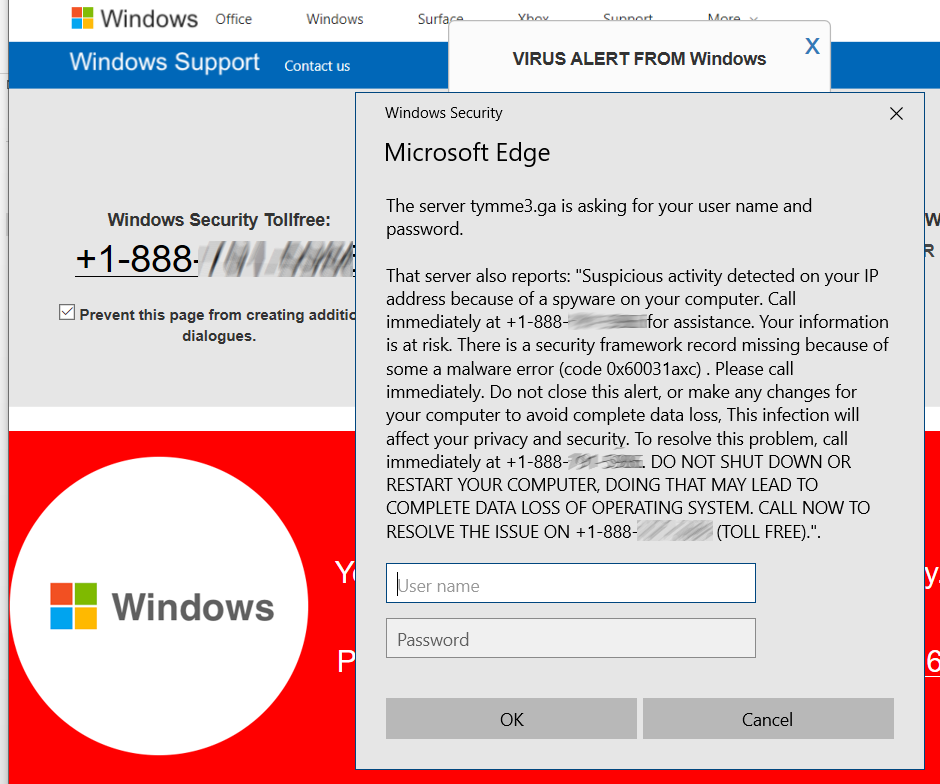
Full-page scams are those HOAX scary web pages that say your computer is infected (or worse) and you MUST call some phone number now (DON’T), and Microsoft has detected an issue. (NOPE). Microsoft doesn’t want your phone call, can’t identify ‘suspicious activity’ on your computer, and would not be able to match your computer to a random web page visitor. It’s impossible, implausible, and completely evil. I’ve had reports back from users who called the numbers: The ‘Department of Windows’ wants to log into your computer, give you the totally FREE and BUILT-IN Windows Defender, as a special $400 lifetime edition. Or worse, much worse. Don’t call those numbers, ever.
Those hoaxes are all full-screen and hard to exit. Press F11 to exit full screen mode, and then close the browser. Or use Alt-F4 to close the browser. Or use the keyboard method to go to task manager with Ctrl-Alt-Delete, and then close the browser. If all else fails, turn the computer off.
After restarting the computer, if your browser then asks “Restore prior pages?” answer NO. It’s also a good idea to go into the browser’s page history and clear out the last dozen pages or so, or use the ‘clear browsing history option’ and select ‘last hour’ or ‘today’ for the time range.