In the June 2026 PC Updater News, read about RATs. That’s Remote Access Trojans, which hide themselves and allow remote access to hackers. But that’s not what is happening right now. Hackers are sending urgent video conference invites, mostly to Realtors, and they fail, and provide an ‘alternate’ link, which is a remote control program that is a perfectly normal remote office or tech repair tool. And then the trouble begins. More in the June newsletter, free here, and back issues here.
Some pre-built PCs and laptops are showing up with Bitlocker installed and enabled, without asking permission, and without notice, even on Windows 11 Home, which shouldn’t even contain BitLocker code. It’s dangerous; without notice, your computer is encrypted, there may be a recovery key in your Microsoft account, if you know you have one, if you know the password, if you know which email account matches it, and if you even have a spare device to log into that account when Windows 11 botches a patch, redetects an existing device, and insists on the recovery key you might or might not know that you might have.
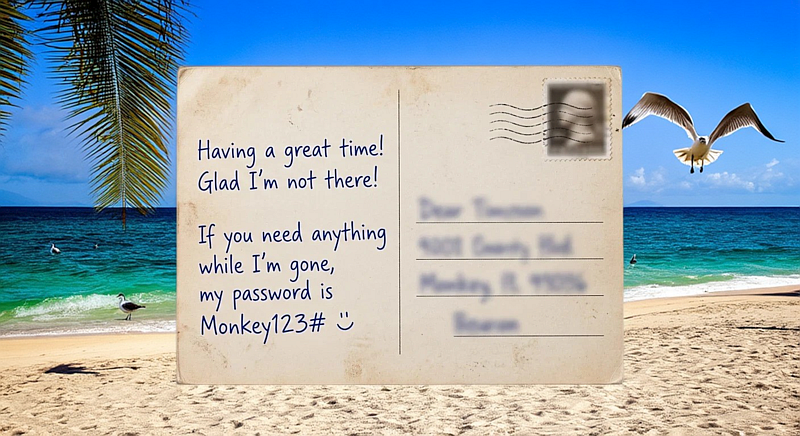
It’s a mess. Here’s how to check in advance if this applies to your computer, and how to backup your recovery key, before you’re all locked out. Read it now, free in the May 2026 PC Updater News, and a decade of free back issues and there’s also Credential Stuffing, Defined, and the difference between an email and a post card. Hint: It’s just the stamp. Neither one is private.
Email is basically sent through a dozen relay servers, each with the ability to read, change, or build ads and AI training from your data. Don’t put anything in an email that should not be on a post card. More on that, and Credential Stuffing, Defined, and how to save your Bitlocker Recovery key, all free in the May 2026 PC Updater News, and a decade of free back issues.